YouTube — free online tool
Free YouTube
transcript extractor
Paste a link. Get clean text you can read, search, and copy.Works with captions in 100+ languages.
- No account orsign-up needed
- No videolength limits
- 100+ languagessupported



Works with live streams
Turn live replays
into searchable text
Once YouTube finishes generating captions, paste the replay link and get a clean, searchable transcript — with no artificial video-length limits.
- Live replays
- No length limits
- Searchable text






Choose your format
How to download a YouTube transcript
Saido is designed to make video content easy to digest and apply. Pick a format that works best for your workflow and take the transcript with you.

Download as .txt
Plain text for your notes, documents, or AI tools. Keep reading wherever you work.

Download as .srt
Subtitles with precise timestamps, ready for video editing or caption workflows.

Copy in one click
Copy the transcript to your clipboard and paste it into your notes or workspace.
Why Saido
Everything you need from a YouTube transcript

Readable paragraphs
Follow complete sentences instead of fragmented caption lines.

100+ languages
Work with available captions in the video's original language.

Share what matters
Create a shareable transcript page to revisit or send to someone else.

Find the right moment
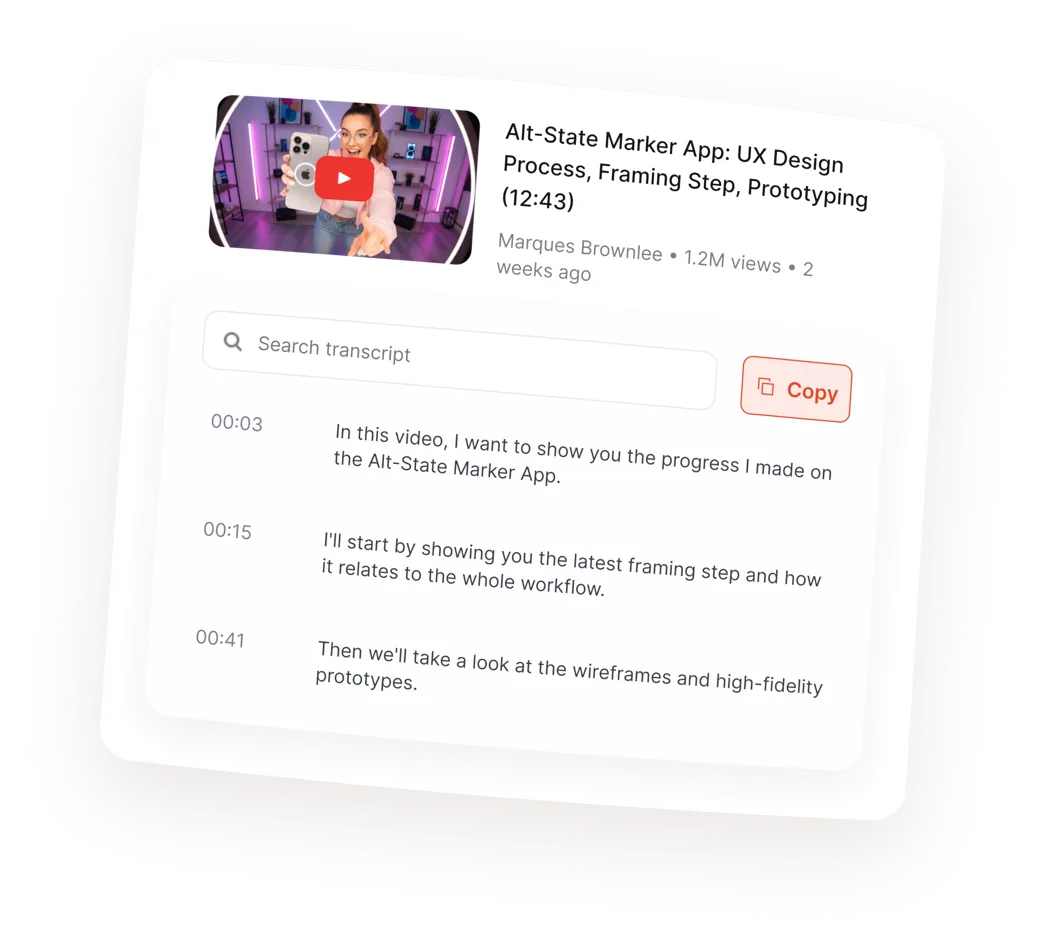
Search the transcript and use timestamps to locate the part you need.
FAQ
Good questions. Clear answers.
Is this YouTube transcript extractor free? 
Yes — free, with no account and no card. Guests get 2 transcripts a day, a free account raises that to 5, and an hourly cap on top of both keeps automated scrapers out without normal use ever noticing it. You can transcribe a YouTube video to text, read it, search it, and download it as .txt or .srt without signing up.
How do I download a YouTube transcript as a text file?
Paste the video link, wait for the transcript, then open the download menu above the text and choose .txt. You can download it with or without timestamps. Choose .srt instead if you need subtitle timings — that file is built from the original caption cues, so it stays in sync.
Which languages does it support?
Any language YouTube has captions for. That includes English, Spanish, Portuguese, German, French, Italian, Hindi, Japanese, Korean, and Ukrainian, among many others. If a video has several caption tracks, pick the one you want from the language selector above the transcript.
Can I get an AI summary of a YouTube video?
Yes — sign in and Saido writes the summary from the transcript, in the language you pick before it runs. A free account includes 2 AI actions a day, and an existing summary opens again for free. Prefer to do it in a chatbot? Take the transcript to ChatGPT or Claude with one of our ready-made prompts .
Does it work with YouTube Shorts?
Yes. Paste the full Shorts URL and it works exactly like a normal video. Live replays work too, as long as YouTube has finished generating captions for them — that can take a few minutes after a stream ends.
Do I need a Chrome extension?
No. This runs in the browser, on any device, with nothing to install. We do not have a Chrome extension and do not need one — a browser extension would need permission to read the pages you visit, and a paste box does not.
Does it work without captions?
Not yet — that's on the roadmap via audio transcription in the iPhone app. Get the app
Can I extract transcripts in bulk, or from a whole playlist or channel?
Not yet — one video at a time. Bulk extraction for playlists and channels is a real request we keep hearing, and it is on the list. If it would change how you work, tell us and it moves up.
What's the difference between a transcript and a video script?
A transcript is what was actually said, word for word, with timestamps. A script is what was written before filming. Saido gives you the transcript — the real spoken words, including the parts nobody planned.
How is this different from YouTube's own transcript button?
YouTube shows raw caption cues — two-second fragments, no export, no search. Saido merges those cues into readable paragraphs, makes every timestamp clickable, adds full-text search, and lets you download the result as .txt or .srt.
Do you store my transcripts?
We read the captions YouTube already publishes and cache the finished transcript by video ID for up to 30 days, so the next person opening the same video gets it instantly. As a guest, the link you paste isn't tied to you. If you sign in, the videos you open are saved to your account so you can find them again — and you can remove any of them, or delete the account, at any time. Privacy policy
Can I use the transcript commercially?
The transcript belongs to the video's owner. Respect their rights when you reuse it.
Is there a limit?
Yes, and it's a daily one: 2 transcripts a day as a guest, 5 with a free account, plus 2 AI actions a day once you sign in. Reopening a video you already opened today doesn't count again, and the hourly cap above never gets in the way of normal use.
Try Saido today — it's free
Start reading videos differently.
Paste any YouTube URL and get a formatted transcript in seconds. No sign-up required.